Telling stories

Robert Boyer seems unfairly prolific at the photography-writing thing. I cribbed from his post about Fujifilm X100S settings and found his tips a great starting point.
Another influence was a forum discussion about telling stories through photos; that thread (dpreview?) is lost to me now — should have saved to pinboard — but a google search led me to another of Boyer’s recent posts, Fuji X100S - Story Telling Device:
If we bottom-line this whole photography endeavor the entire exercise boils down to telling a story. With all the pigeon-holed genres the one thing in common is that inside each an images success or failure is ultimately based on how effectively it tells a story or maybe part of a story.
This is so key. Debates over bokeh and pixel-peeping, smeared foliage and focus speed (all weighed against price and/or status as a “real” camera/photographer) fill the internet with noise but so often the technical details leave out the quality of an image to tell a story.
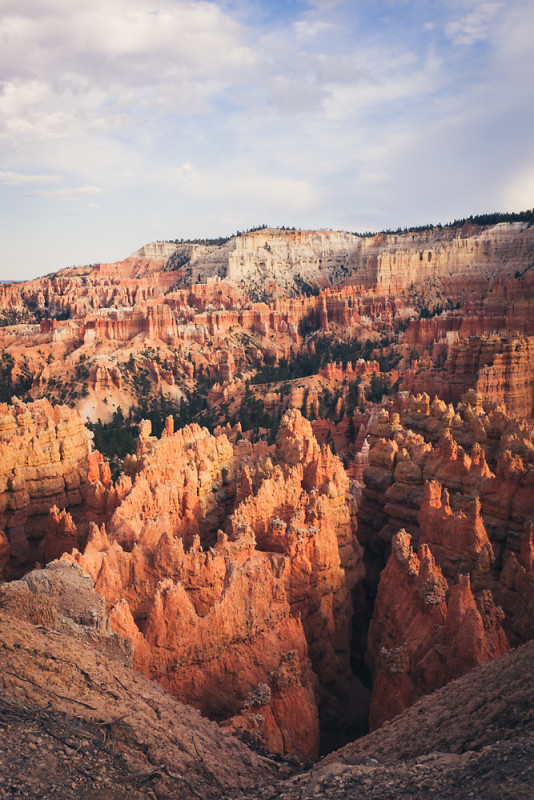
I won’t claim to be any good at this, but I’m trying to keep this all in mind.
So. We went on vacation the past week or so, road-tripping through southern Utah and on up to the Salt Lake City area, and man I shot a ton of photos. At one point in Bryce Canyon, stopping to shoot every hundred feet or so along a trail winding up the rim of an amphitheater, I self-consciously noted that I really didn’t have any idea what would make one of these photos better than the others. Deepening sunset was changing the light, and as we walked our angle changed, too. I made some in black and white, did some panos, experimented with depth of field and persuaded my exasperated wife to stand for just a few more portraits against the canyon background.
(A note on black and white: There’s a lot to love about the out-of-camera JPGs from the X100s. The great flexibility I get from shooting in JPG+raw is that I can work up a raw image if I don’t like the JPG so much; and if I shoot a black and white JPG and start to wonder what it looks like in color, well there’s the raw.)
(But, and this aside is becoming less of one, using film modes such as the BW setting gives me a valuable intent. This one’s black and white I tell myself and the X100S chimps at me to prove it after I click the shutter. The same goes for the other film mode settings: Great sunset, let’s try it in Velvia, etc. I’m eager to get those full-size JPGs off the card to see how they match my vision at the time and my intent with the film mode. Thinking about those film modes becomes part of the telling of the story — If I have the presence of mind to compose it, of course.)
In his post, Robert Boyer lists a handful of storytelling questions to ask of his photos, and I love how detailed he gets in this inventory:
- What’s going on here at the image at the top?
- Girl or boy?
- How old?
- What’s the time of day?
- Time of year?
- Hot or cold?
- Modern or antique?
- Sunny or cloudy?
- Indoors or out?
So anyway I’m thinking as I take photo after photo of this spectacular landscape something to the effect of “I don’t know what will make this one of the tree more interesting than this one with just the hoodoos, so I’ll keep shooting lots.” Later, in Lightroom, comes trying to filter the photos and look for some keepers with questions like:
How did we get way up here? What’s it feel like to stand in that spot? Can a photo hint at the smell of rain way out there? (Also: Am I focused where I want to be? Should I adjust exposure? DOF?? Was that lightning? The signs at the trailhead said to get the hell off the ridge if there’s lightning.)
I think the point as I do this more is to try to front-load the picture-taking itself with those questions (the same way that using a film mode begins to hint at the intended effect of a photo), and then compose the photos accordingly. But one step at a time, right?
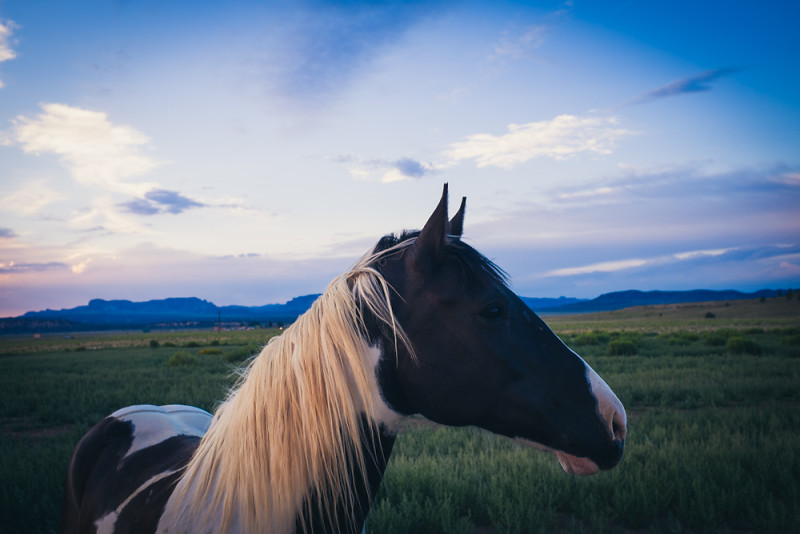
After all that, did I get a story? Well hell, hard to say. I do know that I really love trying. Right now, figuring out the balance of right technical elements and narrative components of the photo is just a great ball of fun.
administrivia
Did you notice you can click the images in this post to bring up a lightbox view of all the images from the post? It’s something I’m trying out, using the lightview toolkit.
- Fujifilm Finepix X100S — compared to the X100: Although a comparison to the original X100, Fredrik Averpil’s review is a good review of capabilities and use.
- Fujifilm X100S DNG camera profiles and some presets: More from Fredrik Averpil, beautiful film presets
- Is there a setting you leave on X100S the most?: Zach Arias on how he shoots with it.
- Fuji X100S custom settings: Settings recommendations and a walkthrough of the custom settings configuration
- [How to set up your Fujifilm X100s for street photography « Mike Kobal](How to set up your Fujifilm X100s for street photography « Mike Kobal): More on settings
- Fuji X100s - Links Testberichte - Reviews - WOSIMs Photography: A big, big index of reviews
- Fuji X Series and Post: Settings, postprocessing discussion
- Photography Stack Exchange: I didn’t know stack exchange had a photography site — this is pretty cool.
- The First 100 Days with the X100S: Brian Kraft has a bunch of lovely photos from the Denver area that make me miss the Rockies, and he shows off a lot of the camera’s capabilities.
On Vacation
And life’s pretty good. Today we begin our drive back home, for a short southern Utah stay and then a few more days of down-time before work and school begin again.
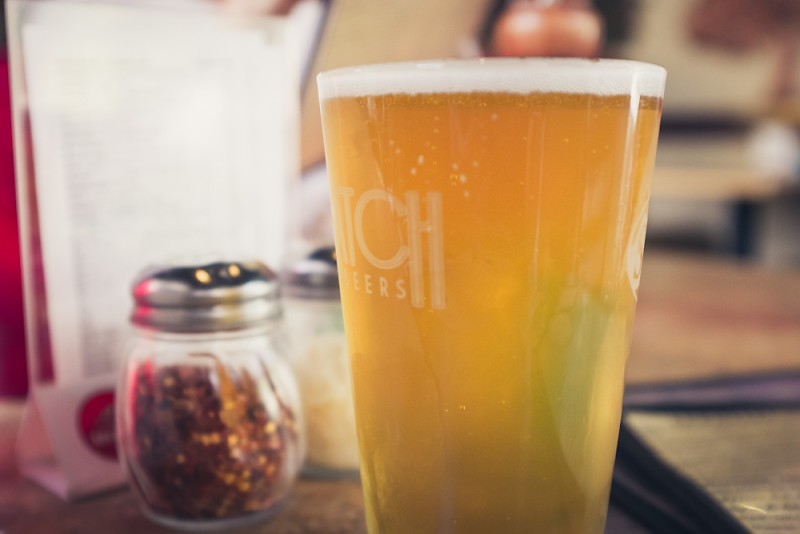 {:id: .center}
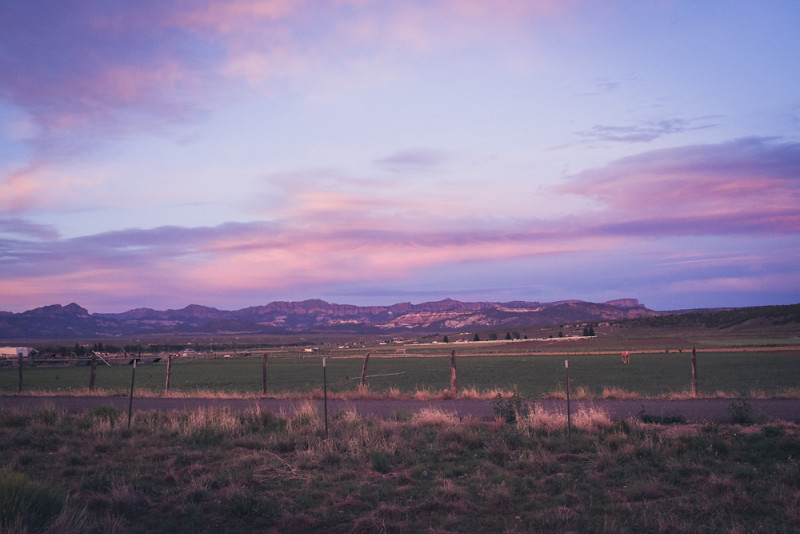 {:id: .center}
DPReview Fuji X100S review
The excellent quality of the X100S’s in-camera JPEG processing means that for many purposes it makes perfect sense to shoot JPEG+RAW with the intent of using the JPEG by default, and only resorting to the Raws when you want to pay an image special attention, as in the examples above. The most obvious case when you’d need the extra latitude of a Raw file is when you want to adjust white balance post-capture.
This is exactly how I shoot with it, and I’ve found it to work really well. If an image doesn’t have some quality I’m looking for and some minor adjustements to the jpg don’t give it to me (Lightroom can do a lot with a jpg!), I work up the raw file and see how it goes.
On dynamic range:
An alternative way of thinking about this is that DR200 is like underexposing a stop to retain highlights then adjusting the brightness afterwards, and DR400 is like underexposing by two stops and adjusting further. Because of this, the minimum ISO available in each mode is limited: ISO 400 at DR200, and ISO 800 at DR400. The flipside to this approach is shown by ISO 100, which is effectively the opposite; i.e. ISO200 overexposed by a stop then pulled-down in processing. This results in the loss of stop of highlight range - to all intents and purposes it counts as DR50, and should therefore normally be avoided. (Note ISO 100 is only available in JPEG anyway).
As usual for DPR, this is a detailed review that can teach someone already using the camera a lot about how it’s put together, what its capabilities are, and how to get the most from it.
Between ISO 200 and 800 the X100S delivers images which contain effectively no visible noise. This, coupled with the inclusion of a 3-stop ND filter means that it is entirely possible to shoot at ISO 800 outdoors in bright daylight for the sake of better dynamic range (see DR expansion modes section on the next page). In our everyday shooting we alternate between DR200% and 400% in especially tricky conditions, and we’ve learned not to worry about the consequent increase in ‘base’ ISO.
I had a great evening at the best pizza place around this weekend — got a few photos I enjoy, too.
 {:id: .center}
Reading, running and riding
I am so far behind on a certain category of my reading that I’m intimidated enough to mostly avoid opening up Instapaper altogether. But I keep saving things to “read later” all the same. Aspirational bookmarking at its best, I suppose. At least neither the Instapaper or Pinboard queue show up with red badges on any of my various screens.
It’s not that I’m not reading, though. I’m reading a ton, probably more this year than in quite a while. On the treadmill at the gym I’m slowly making my way through Passage of Power by Robert Caro, a genuinely fascinating — and challengingly lengthy — telling of LBJ’s journey to the presidency. It’s enthralling, and also 736 pages long, which, when rendered in Kindle format sufficiently large to read while bouncing along at the five to six miles an hour I can manage on the treadmill, results in something like 20,000 “locations” in Kindle-speak. I’ve borrowed it three times from the local library, which I suppose is a sign that a) I enjoy it and b) I don’t read it particularly quickly, and c) nobody else is borrowing it.
The treadmill or bike at the gym seems to be the primary place where I do most of my reading, these days, being as they are among the few places where a 35-inch-high pre-schooler isn’t eagerly seeking my attention. This beautiful summer season, I feel somewhat guilty for not being out on the trails, but time and attention are the resource now most in demand and shortage, so fresh and piney air often fall third in the priority list to a good workout and enjoying some reading.
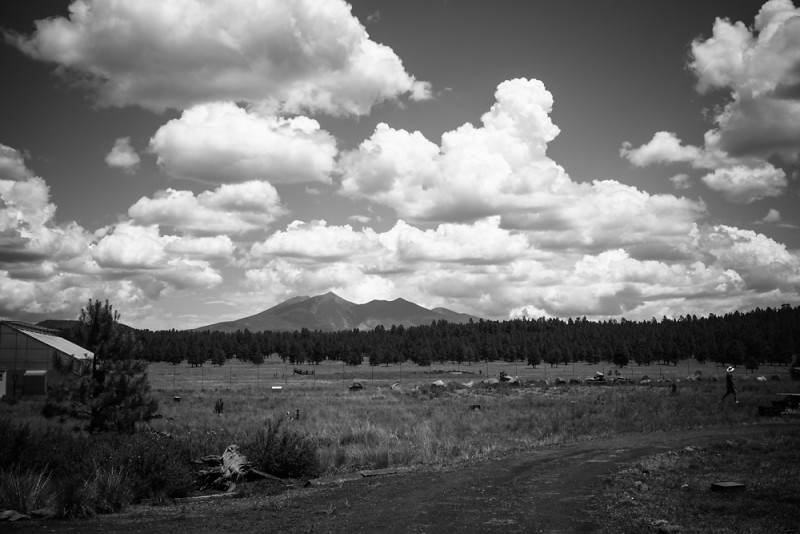
I’m still getting out and about quite a bit, too. It’s a beautiful monsoon season here, so far.
 {:id: .center}
Eye-fi and more
I’m having a blast with this new camera, the Fuji X100S.
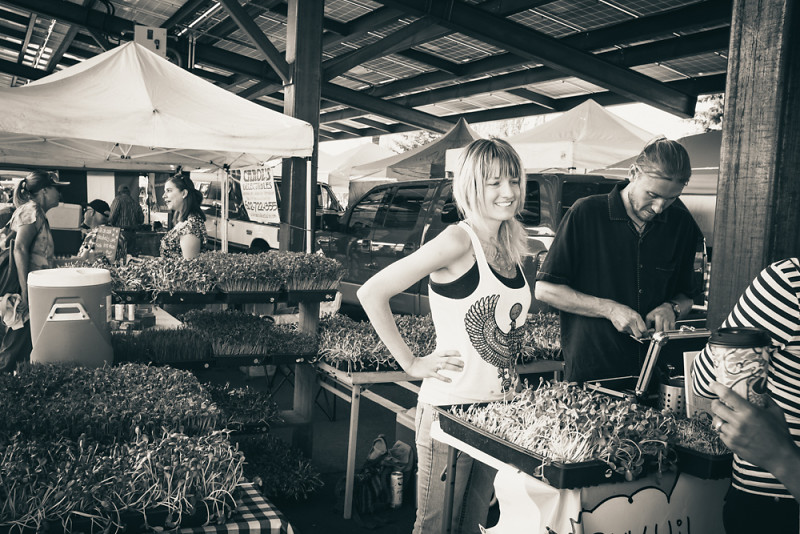
I had a conversation with my wife today that seemed to bear on why this camera is so much fun. She’s looking for a new bike and has been demoing some from local shops to find just what she wants. (This, by the way, is where our little outdoorsy town excels; want a new mountain bike? Half a dozen excellent shops have gear for you. But if you want a camera, you can try your luck at the Best Buy, or drive 140 miles to the big city.) This morning she rode a bike that is on paper superior to the one she tried earlier in the week, with higher-specced components, insane suspension and a frame design that should be precisely in her wanna bike sweet spot.
But it wasn’t a much fun as the one the tried earlier. The experience of the first bike was just better, but not in a way she could quite explain or quantify. The ineffable sum of its parts just add up to more, and I guess that’s about the same with this fixed-lens, slightly slow to focus, battery-eating and sometimes just obtuse little Fuji. I still have the fancy glass if I ever want to upgrade to a new shiny DSLR body, but it simply feels good to sling the X100S over my shoulder and go for a walk, and I love the photos it makes.
I got an Eye-Fi card to use with it, to pull jpgs right off the card through the vapor while I’m away from my computer. It seems to work well, is not automatic (in the sense that I can turn it on and off and it requires the iPhone or receiving device to be set to its own wifi network to receive) but that’s probably better than something that’s unpredictable. The eye-fi adds imported photos to three locations: one, the in-app gallery; two, the iPhone camera album; three, an “eye-fi” gallery in photos app. This means that it’s a piece of cake to select jpgs in the camera roll and share to an icloud photo stream – meaning that those images are quickly available on my iPad, too (or, via shared photostream, anybody else’s I share with).
My flow is shooting with the X100S, doing in-camera development as desired to produce some jpgs, then turning on the eye-fi when ready to sync to the phone for sharing or (via Dropbox) taking a closer look on the iPad.
This is an out-and-about type of workflow, because I will still download and work with raw if/when I want more control or am not satisfied with jpgs. But it will be fun when traveling or enjoying busy days that keep me away from the laptop. And, because the photos get put in the camera roll, they also get uploaded to dropbox if its app is configured to upload from the camera roll. This latter effect may create some redundancy, but it’s also a nice and complete circle – out-of-camera images can easily be pushed everywhere I want to use jpgs.
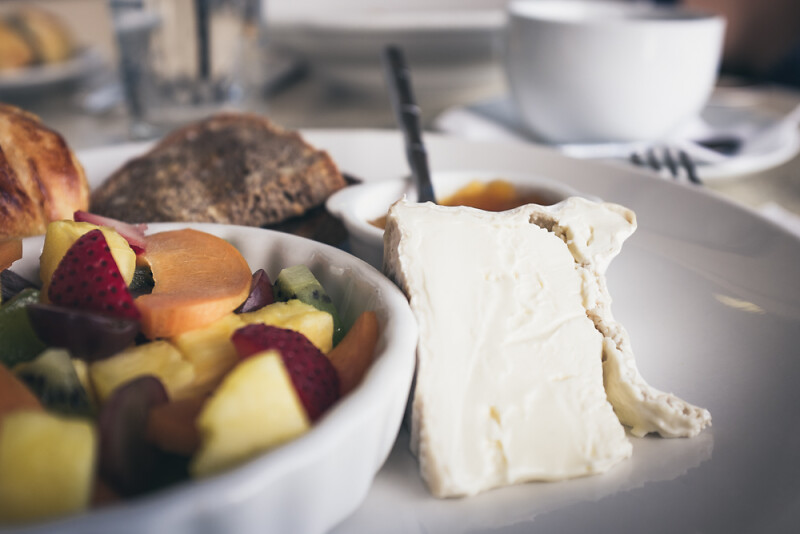
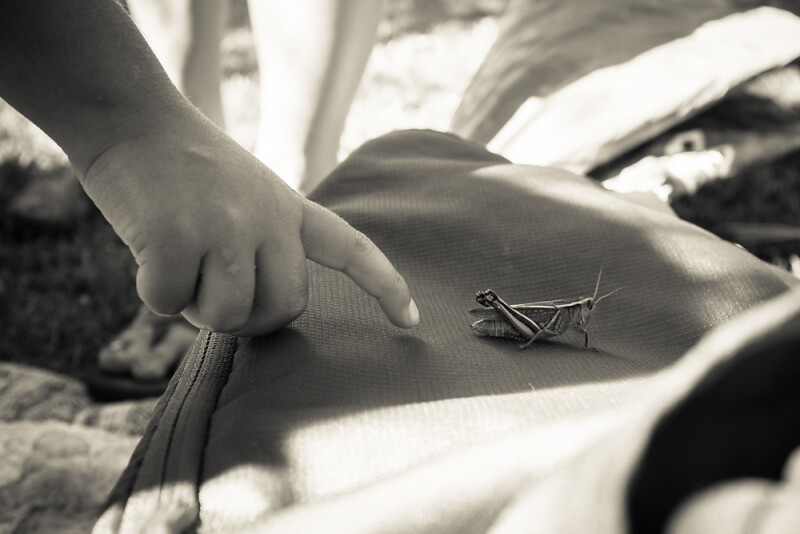
A couple recent photos that I enjoyed:
[Koken - Creative website publishing](http://koken.me)
Koken is a free system designed for photographers, designers, and creative DIYs to publish independent websites of their work.
I installed Koken last night to give it a try, thinking I might use it to replace other photo sharing platforms. It has an elegant installation process and the application is really sophisticated. Plus, it has a Lightroom publishing service plugin so you can upload images to a Koken installation by pushing directly from LR. Very cool.
Making pictures
 {:id: .center}
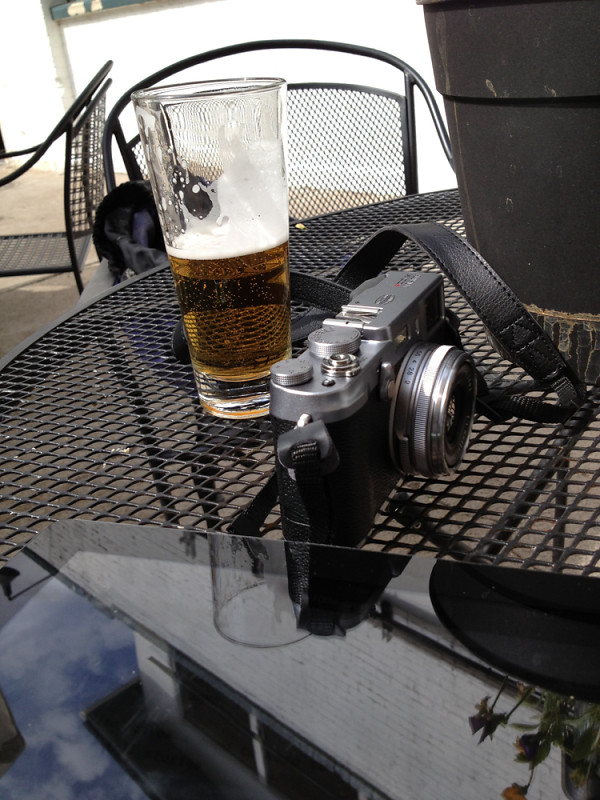
X100S and a nice Kolsch at Mother Road Brewing
So I went and got that camera
After a long couple of months of thinking on it, I was ready for a new camera, but surfing dpreview only made it harder to decide. The mirrorless options were looking good — like the upcoming release in the Olympus line, the E-P5. On a whim, I emailed a Phoenix camera shop one Saturday morning to see if they had the hard-to-find camera I thought I might enjoy.
“One in stock” they told me. Oh. “We can hold it for you until the end of the day.” Oh.
It was the perfect combination of coincidence, opportunity and well-informed impulse buy. So I took a quick road trip down the hill to the 106° F heat and picked up a shiny new Fuji X100S for myself. (Related: How nice it was to go into an actual camera shop and have a chat with guys who love what they do instead of trying to ask a bro at Best Buy whose last sale was a dryer. It was great. I miss having a local shop.)
And a week later, man am I having a good time. I’m learning the ropes of a very different kind of camera for me, and enjoying all of it.

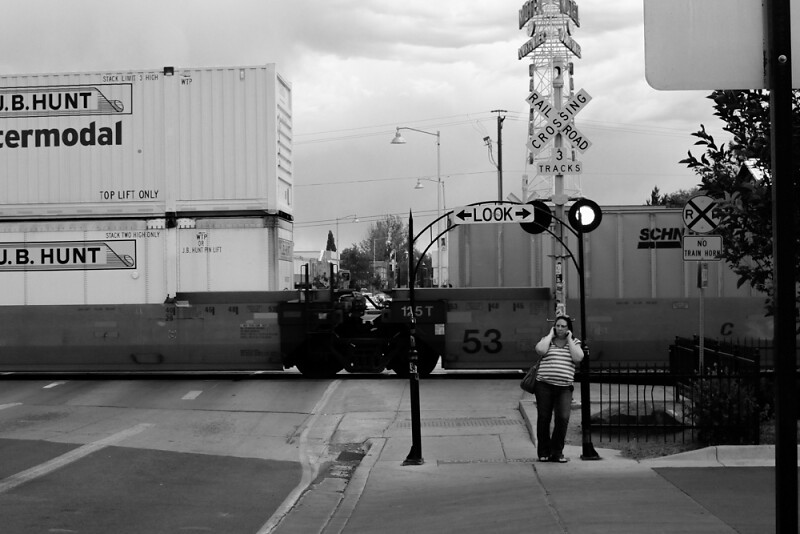
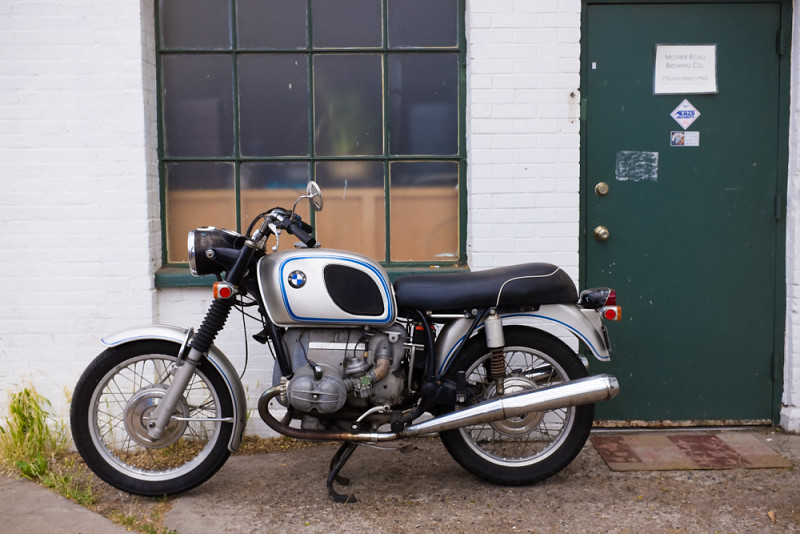
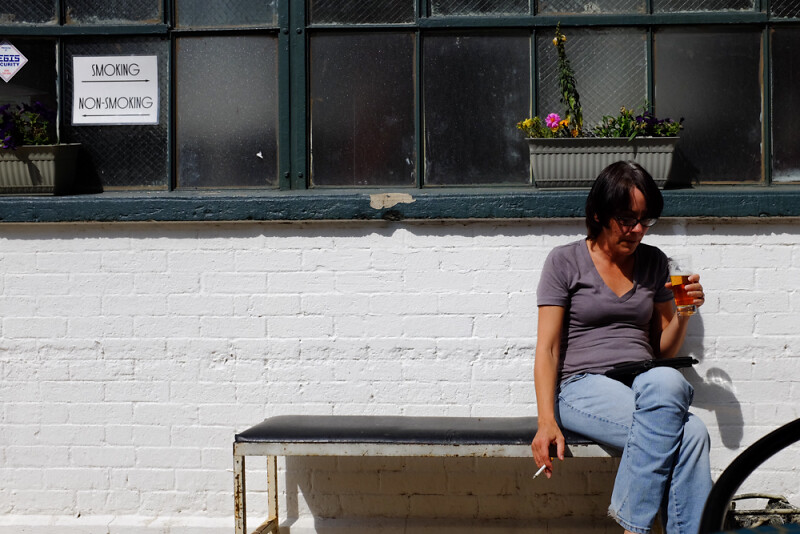
The X100S is lots less unobtrusive than the big DSLR, making it easier to shoot candid street-style photos. The smoker at the brewpup is a shot I wouldn’t have made with the big old Pentax (manual focus, too, thanks to the focal distance indicator in the EVF). And the focal length of the Fuji is just a little wider than my favorite FA 35mm Pentax lens, so it’s a familiar field of vision – which is making the rangefinder-style optical viewfinder a little easier to get accustomed to. The hybrid/electronic viewfinder is great: Fast, with display of a lot of information in the overlay.
Out-of camera JPGs are good, and the camera includes several film simulation filters to “develop” raw images in-camera. Since the raw files are a big 32mb, which pushes my old lappy 386 quite a bit, I have been trying to practice developing raw in camera or simply shooting in JPG. This is a change for me because I have shot raw a rule on the old camera; but exposure, noise and detail are so good on the X100S that it’s much more feasible to fiddle with a few JPG settings and leave it at that. There’s a simplicity to that, too, though I’m a long way from giving up on using LR to post-process altogether.
There are a bunch of useful X100S resources I have learned from as I experiment and play:
(By the way)
The photos in this post are served up via a really slick gallery and portfolio application called Koken. It’s self-hosted and has a beautiful interface that supports embedding as well as its very own writing engine for blogs or portfolios. I uploaded the photos through its Lightroom publish service plugin. Good stuff, worth checking out.
Always be Catching Up
Busy days here, which is not really anything new. I have found in my spare time that I have been quite happy to work on my growing catalog of toddler photos and spend lots of time biking and jogging — summer has come to 7,000 feet and it’s time to soak up the outdoors.
But there have been a bunch of bits and pieces bubbling along that I have wanted to share. Here are a few of them.
Here’s a Drafts action that sends entries to Day One along with a tag for my son’s name. This one is for capturing and saving bits and pieces of things he says and moments that catch me off-guard — which, as he gets more remarkable, are most days. Replace TAG twice in this to use it with a different tag; nothing complicated here, but I had to tweak it a bit to get what I wanted (specifically, to get the right urlencoded newline strings so that Day One would handle the tag correctly.
drafts://x-callback-url/import_action?type=URL&name=Day%20One%20%23TAG&url=dayone%3A%2F%2Fpost%3Fentry%3D%5B%5Bdraft%5D%5D%250A%250A%23TAG
My friend Alice has started up a podcast called Educating [Geeks], with the premise that, “At some point in our lives, we’ve all been on the receiving of the incredulous shock and horror when a superfan realizes that you’re not a member of the club.” They find inspiration in this great XKCD strip that celebrates bringing people into the things we love and excited or fascinated by. I’ve been stewing on a longer post about this and some perhaps interesting thinking, but just can’t seem to get it out the door, so check out the podcast in the meantime. I think you might enjoy it. It’s fun.
Here’s a guy who has really thought about notebooks (among other things; Sean has a great set of outliner based pages about all kinds of things that are interesting).
The National Day of Civic Hacking looks cool, much more practical than a lot of change-the-world-with-technology enthusiasm. I missed the actual event this year but will watch to see what comes of it.
Text editors in The Setup
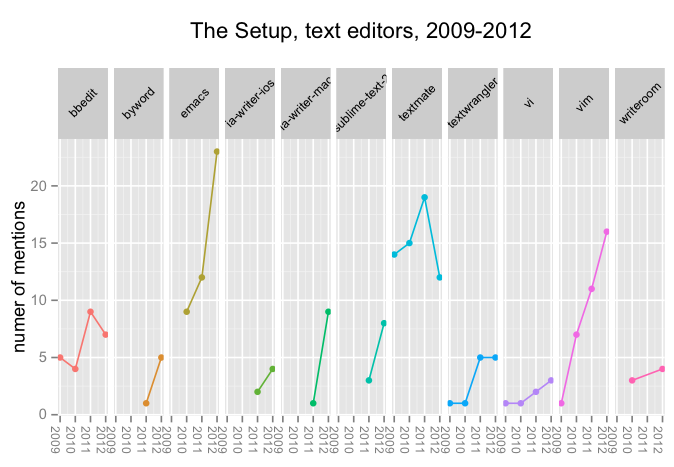
I dusted off and started to update my data from The Setup this weekend. Here’s a plot of some selected text editors that people discuss over the past few years. I’ve cut the 2013 data because there’s not much information there, yet, and it makes it appear as if the frequencies of all the editor mentions go way down.
 {:id: .center}
For all the noise about fancy new-generation editors, respondents at The Setup seem to hew old school, or at least talk old school, as the data reflects mentions rather than actual use. (Seriously, this is just about as unscientific as it gets. But it’s fun.) Will TextMate return to prominence in 2013, or will Emacs continue its ascent? Can Sublime Text outpace vim? Time will tell.
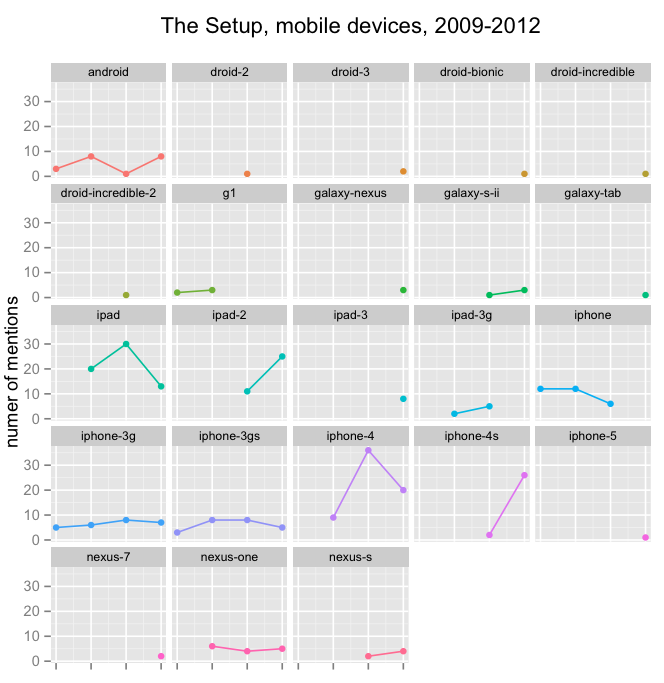
Bonus update, mobile devices. I was having fun, so I updated to include a swing at mobile devices. This may be an incomplete count of the various Android devices. Rather than filter out the devices with just a single count, I included them to show some of the variety (which also tends to highlight just how dominant the iOS devices are).
 {:id: .center}
You may be saying, “hey, what about Windows Phone?” Well, here are the current counts:
Mobile Devices:
---------------
iPhones:		190
iPads:			132
Androids:		72
Windows Phone: 	1
Now you know.
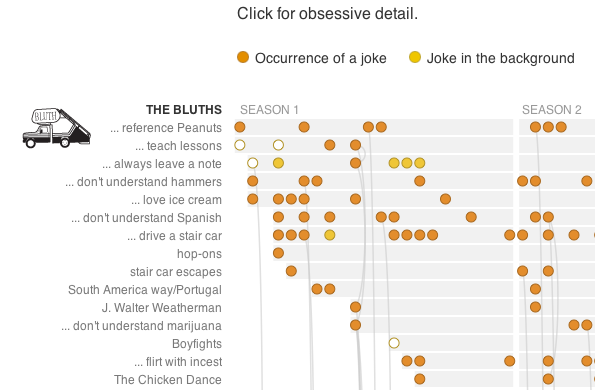
[Previously, on Arrested Development](http://apps.npr.org/arrested-development/)
This was a labor of love:
 {:id: .center}