[Launch Center Pro 2.0 Review](http://www.macstories.net/reviews/launch-center-pro-2-0-review/)
Detailed review as always by Federico Viticci. I have a bunch of frequently-used Launch Center Pro actions: I use it to replace the phone dialer, quickly text certain contacts, enter mileage logs, and add items to calendar to to Due. This is a nice update, worth paying for, but offered as a free upgrade.
[My First 100 Days With Google Glass](http://readwrite.com/2013/09/25/first-100-days-with-google-glass#awesm=~oiKXLJTcYOwWrO])
Many articles have already covered the Glass hardware; simply put, Google has done a good job designing the device. Glass is light and unobtrusive. The screen looks great, even in broad daylight, and the camera and processor are excellent for such a small form factor. Battery life, though, is the bottleneck: with heavy usage, I can discharge the entire battery in half an hour. I expect this to improve over time; it has to, for Glass to be viable.
Thirty-minutes of battery life? That’s just nuts for any kind of consumer electronic, and it seems like lunacy for something that is supposed to be worn and integrated into daily experience.
[XOXO Talk Notes](http://blog.pinboard.in/2013/09/xoxo_talk_notes/)
Maciej Ceglowski is among the most honest and insightful guys on the internet.
Not Catching Up
All week I crib things into pinboard, instapaper, and left-open browser tabs, thinking “oh, this is good — I’ll use|blog|THINK about it later.” Seeing as how it’s not actually my job to do those things, and I have an active life of making lunches, making dinners, and pre-schooler lecturing at home, it feels like I never get to give any of those things the attention that I want.
Baby steps though, right?
Stack this
Reading this about management at Valve I was struck by the difference in tone between discussions of stack ranking at Valve versus at Microsoft — the latter being one off the things said to doom the company:
In the end, the stack-ranking system crippled the ability to innovate at Microsoft, executives said. “I wanted to build a team of people who would work together and whose only focus would be on making great software,” said Bill Hill, the former manager. “But you can’t do that at Microsoft.”
To be sure, the implementation matters a great deal, and the actual ranking practices and cultures at Valve and Microsoft differ, but the public perception of each company undoubtedly shapes our view, too. At Valve this practice is daring and egalitarian (also anarchic and nigh socialism, we are told by internet commenters) while at Microsoft it’s stifling and bureaucratic.
If you haven’t seen it, the “leaked” Valve employee handbook originally circulated about a year ago and is an interesting depiction of a company culture.
Point and click
I spent a lot of time playing games from Lucasarts back in the day. So How LucasArts Fell Apart is an intriguing read. We can on only daydream about all those projects that never made it out the door.
Relatedly, I am eager to see how Steam’s new adventure in living room gaming will work out. I’m interested in being able to move away from requiring a high-specced desktop or laptop machine for gaming, while maintaining the library of stuff on Steam that I really enjoy. For that reason, the streaming to the TV route isn’t ideal at all for me, but with a new Mac on my roadmap it could be a nice intermediate step.
(The most recent game I have really enjoyed is Mark of the Ninja, which recently launched for the Mac. It hits the sweet spot for sneaking around in the dark action.)
Friday-ish link roundup
A few things I stashed in pinboard to read or re-read the past week or so. You might like them, too.
[The end of kindness: weev and the cult of the angry young man](http://www.theverge.com/2013/9/12/4693710/the-end-of-kindness-weev-and-the-cult-of-the-angry-young-man)
Stories like this makes me seriously, seriously question the value of participating in any kind of online dialogue, weighed against the risk of one’s whole life being exposed and attacked by malicious and misguided vigilantes. (See also crazy, off-the-charts hostility in response to any of a number of situations where — primarily — women have made sensible remarks about misogyny at PAX or in GTAV. It’s a loony bin out there.)
More administrivia: Editorial and Koken
Using Editorial to streamline posting to this site as well as my other writing is just so satisfying. As always, check out what’s going on at Macdrifter and MacStories for the true state of the art (because, dang, Gabe and Federico have it going on), but I thought I’d briefly note a couple of things that have made me happy lately.
I’m using Koken more and more for serving images, because it has such a great integration with Lightroom. Combined with Lightview it makes a nice system for flexible display of images here. Koken can serve cropped images, as in the Rt66 post below, that are blown up to full-size pop ups easily by Lightview. (I do need to tinker with the display size, and of course it’s not responsive, and so but.)
So, for posting using the iPad, I built a small Editorial workflow to help place the combination Koken/Lightview calls. Koken has an easy to use embed option, but it produces an HTML snippet that I usually want to convert to markdown and wrap in a Lightview class; with a Koken image embed link on the clipboard, I can call this workflow, tap the selection for the type of link I want, and it removes the unwanted code, adds my specific parameters and then pastes into the document the properly-formatted markdown image tag and link. Nothing too complicated or sophisticated, but like I said, it’s just very satisfying to be able to so quickly build something Iike that.
Route 66 Days
Some photos from a jaunt around this year’s Route 66 Days car show. We picked a good time to explore it; our monsoon weather returned early in the afternoon and kept us bottled up inside for most of the rest of the day.







[Seahorse on Line One](http://5by5.tv/incomparable/154])
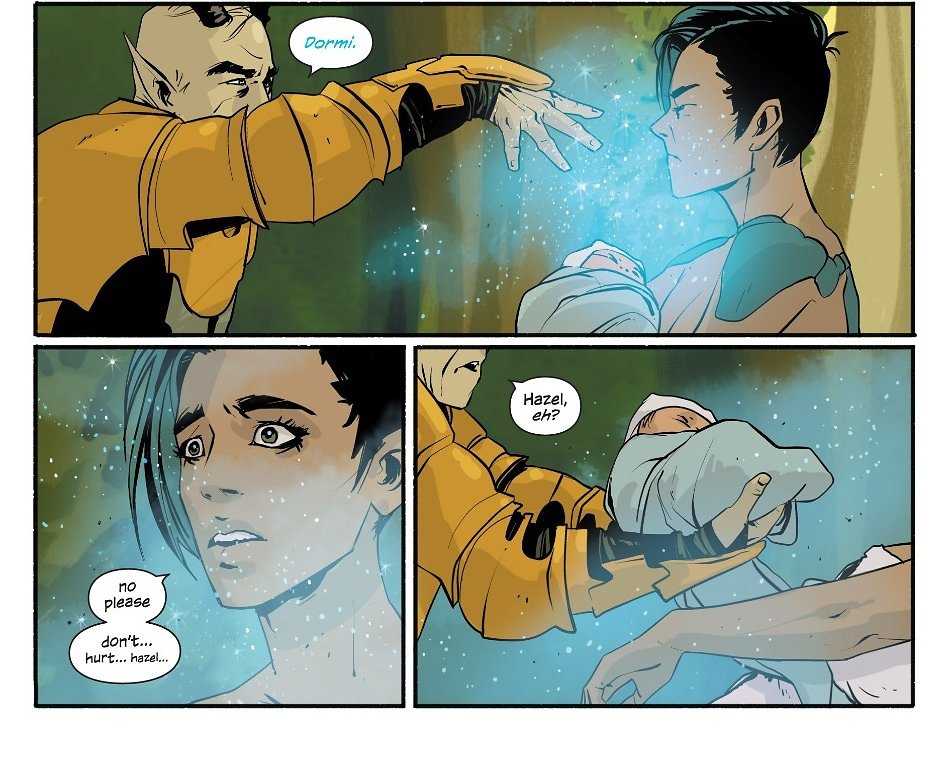
This is a fun conversation on The Incomparable about Saga, hitting almost all the things that I really like about it. There’s an ease to the dialogue that is almost always at odds with the apparent otherworldliness of the scene, which cuts through the mostly-calamitous, everybody-is-in-peril story, and reminds me of Aaron Sorkin and Joss Whedon. And almost invariably those scenes close with something beautiful or poignant. It’s good.